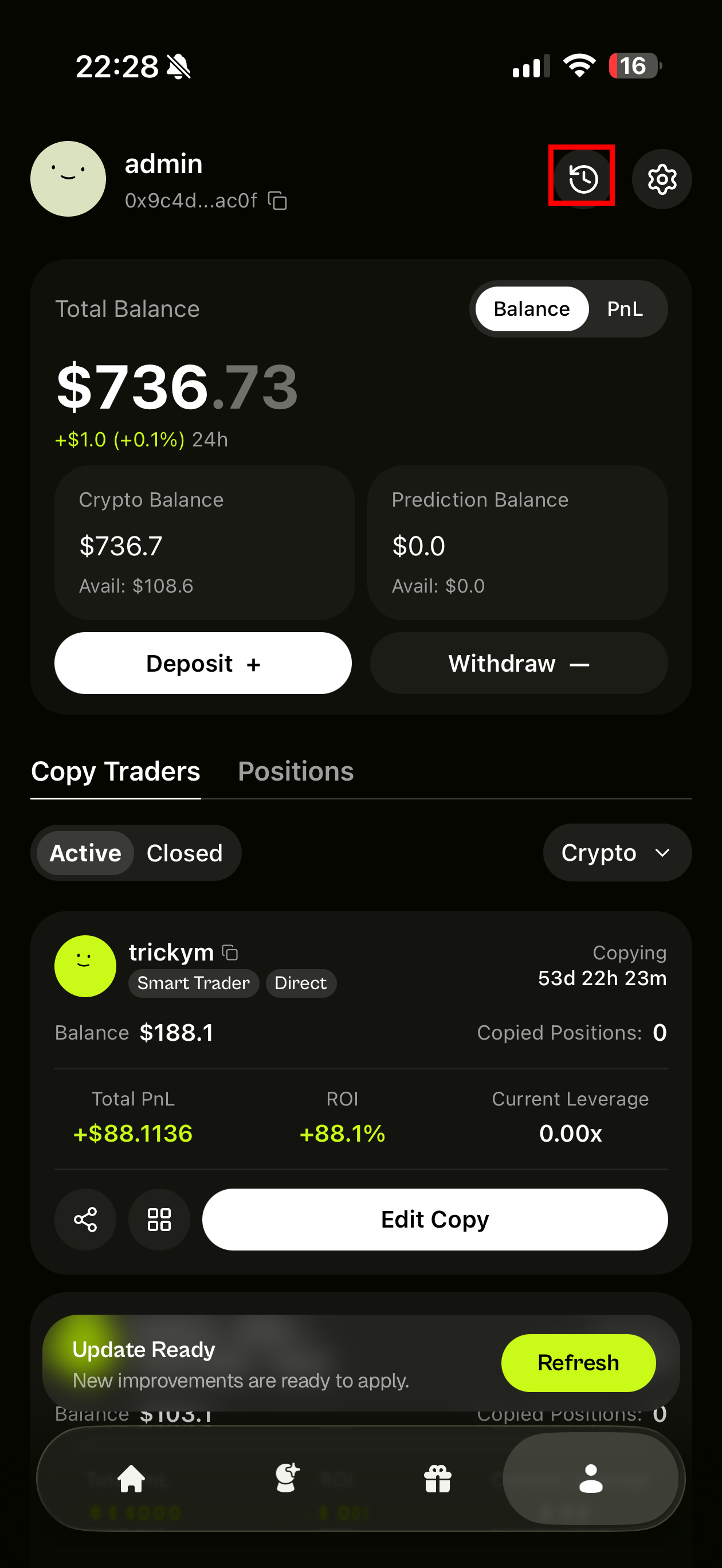
# Deposit & Withdraw
{% tabs %}
{% tab title="Deposit" %}
## Deposit
Add funds to your Coinpilot Wallet using:
* **Direct crypto deposit** via Relay
* **Card, Apple Pay, or bank transfer** via Onramper
Choose the method that works best for you.
{% hint style="warning" %}
A small fee will be charged by [Relay](https://x.com/RelayProtocol) / [Onramper](https://x.com/GetOnramper) from the deposit process
{% endhint %}
### Option 1: Deposit Crypto (Relay)
Deposit crypto directly from another wallet or exchange.
1. Tap Deposit from the Profile tab
2. Select Deposit Crypto
3. Choose the network and token (e.g. USDC on Arbitrum)
4. Copy your wallet address or scan the QR code
5. Send funds from your external wallet or exchange
Once confirmed on-chain, your balance will update automatically.
#### Important
* Always double-check before sending.
* Coinpilot does not control blockchain confirmations.
### Option 2: Buy Crypto via Card (Onramper)
Buy crypto directly with:
* Apple Pay
* Google Pay
* Debit / Credit Card
* Bank transfer (availability depends on region)
1. Tap Deposit
2. Select Buy with Card
3. Enter the amount and choose your preferred payment method
4. Complete the Onramper flow
You may be required to complete KYC depending on the provider and your region.
Your crypto will be delivered directly to your Coinpilot Wallet once the transaction is processed.
{% hint style="info" %}
KYC is handled entirely by Onramper.
Coinpilot never sees or stores your personal information.
{% endhint %}
{% endtab %}
{% tab title="Withdraw" %}
## Withdraw
You can withdraw funds from either your Crypto balance or Prediction balance to an external wallet.
### 1. Select Balance
Choose which balance to withdraw from:
• **Crypto** – Withdraw from your crypto perpetual trading balance\
• **Prediction** – Withdraw from your prediction market balance
The available amount will be displayed at the top of the screen.
### 2. Network & Asset
Withdrawals are processed on different networks depending on the balance type:
#### Crypto
• Network: **Arbitrum**\
• Asset: **USDC**
#### Prediction
• Network: **Polygon**\
• Asset: **USDC.e**
Make sure your external wallet supports the correct network and asset or is EVM compatible before withdrawing.
### 3. Enter Wallet Address
Paste your external wallet address (EVM compatible).
Double-check that:
• The network matches\
• The address is correct
Incorrect network or address may result in permanent loss of funds.
### 4. Enter Amount
You can:
• Manually enter an amount\
• Use quick buttons (10%, 25%, 50%, Max)
Minimum withdrawal: **$10**
#### Processing Time
Withdrawals typically arrive within **\~5 minutes**, depending on network conditions.
{% endtab %}
{% endtabs %}
### Troubleshooting & support
* **Deposit didn't arrive?** Check your email for Relay / Onramper updates. If stuck, contact Coinpilot support.
* **Can’t see my payment method?** Not all methods are available in every region. See Relay / Onramper's list.
* **KYC failed?** All KYC is handled by Onramper. Reach out to Onramper Support directly.
* **Check Funding History?** Tap on icon besides ⚙️ to check your Funding (Deposit & Withdrawal) on Prediction balance and Crypto balance.